

According to the Bureau of Labor Statistics’ 2023 workplace injury data, musculoskeletal disorders account for nearly 40% of all workplace […]
According to the Bureau of Labor Statistics’ 2023 workplace injury data, musculoskeletal disorders account for nearly 40% of all workplace injuries requiring days away from work — with the majority stemming from preventable ergonomic issues like repetitive stress and poor posture. While safety managers focus heavily on dramatic hazards like falls and equipment accidents, the quiet epidemic of ergonomic injuries continues to drain productivity and inflate workers’ compensation costs across every industry. These aren’t inevitable occupational hazards — they’re design problems with design solutions.
The shift toward hybrid and remote work has only amplified ergonomic challenges, as employees adapt kitchen tables into workstations and employers lose direct oversight of workspace setup. Meanwhile, traditional office environments often prioritize aesthetics and space efficiency over human biomechanics, creating conditions that gradually wear down even the most safety-conscious workers. For organizations serious about preventing workplace accidents, addressing ergonomic risk factors isn’t just about compliance — it’s about fundamentally rethinking how work environments support human performance over the long term.
Why Ergonomic Adjustments Matter for Injury Prevention
Ergonomic injuries operate differently from the dramatic workplace accidents that dominate safety training. While a slip-and-fall incident happens in seconds, ergonomic injuries develop over weeks or months through accumulated stress on joints, muscles, and connective tissue. This gradual onset makes them harder to recognize early and more expensive to treat once symptoms emerge.
The biomechanical reality is straightforward: human bodies weren’t designed for eight-hour stretches of repetitive motion in fixed positions. When workstation design forces employees to work outside their natural range of motion — reaching too far for a mouse, craning necks toward poorly positioned monitors, or maintaining awkward wrist angles while typing — the resulting micro-trauma accumulates faster than recovery mechanisms can repair it.
Consider a customer service representative who spends her day with a phone cradled between her shoulder and ear while typing. The sustained neck rotation and shoulder elevation create constant tension through the cervical spine and trapezius muscles. Within months, she develops chronic headaches and neck pain that interfere with sleep quality, which reduces her pain tolerance and creates a cycle of worsening symptoms.
Research from the National Institute for Occupational Safety and Health demonstrates that well-designed ergonomic interventions can reduce musculoskeletal injury rates by 40-60% across diverse workplace settings. The key insight isn’t that these injuries are inevitable consequences of modern work — it’s that small environmental changes can redirect biomechanical stress in ways that keep accumulated damage below the threshold where symptoms develop.
What makes ergonomic prevention particularly valuable is its dual impact on both acute and chronic workplace health issues. Poor ergonomics doesn’t just cause repetitive stress injuries — it creates fatigue and discomfort that increase the likelihood of attention lapses leading to traditional safety incidents.
Common Ergonomic Risk Factors and Workplace Hazards
Repetitive motion injuries represent the most widespread ergonomic hazard across office and industrial environments. The damage occurs when workers perform the same movement patterns hundreds or thousands of times per day without adequate variation or recovery time. Assembly line workers, data entry clerks, and even surgeons all face versions of this challenge, though the specific anatomical targets vary.
The forward head posture epidemic deserves particular attention in modern workplaces. When monitors are positioned too low or too far away, employees unconsciously crane their necks forward to maintain visual focus. This posture shifts the head’s center of gravity forward, forcing neck and shoulder muscles to work constantly against gravity. Over time, this creates a cascade of compensation patterns that can affect everything from breathing efficiency to lower back stability.
Sustained static postures create surprisingly high injury risk even when the positions themselves seem comfortable. Sitting appears restful, but maintaining any fixed position for hours restricts blood flow and places sustained load on supporting structures. The hip flexors gradually tighten, the thoracic spine rounds forward, and the deep stabilizing muscles of the core become inhibited from lack of activation.
Industrial environments introduce additional risks through forceful exertions and contact stress. Workers who repeatedly lift heavy objects, operate vibrating tools, or lean against hard edges experience different patterns of accumulated damage. A warehouse employee who lifts 40-pound boxes fifty times per shift while bending from the waist rather than squatting places enormous cumulative stress on lumbar discs and surrounding musculature.
Environmental factors amplify these biomechanical risks. Poor lighting forces workers to adopt awkward postures to see clearly. Inadequate climate control creates muscle tension that reduces flexibility and increases injury susceptibility. Even workplace culture plays a role — environments that discourage movement breaks or pressure employees to work through discomfort prevent the natural recovery periods that keep accumulated stress manageable.
The interaction between multiple risk factors often proves more dangerous than any single hazard. An accountant working with an outdated monitor (visual strain), a non-adjustable chair (postural stress), and a deadline-driven culture that discourages breaks (sustained static postures) faces compound ergonomic risks that no single intervention can fully address.
Easy Ergonomic Workstation Tweaks to Reduce Injury Risks
Monitor positioning offers the highest-impact adjustment most workers can implement immediately. The top of the screen should align with eye level or slightly below, allowing the head to maintain its natural position over the shoulders rather than tilting forward or back. For employees using laptops as primary workstations, an external monitor or laptop stand combined with a separate keyboard eliminates the impossible choice between neck strain and shoulder tension.
Chair adjustment goes far beyond raising or lowering seat height, though that’s the logical starting point. Feet should rest flat on the floor with knees at roughly 90 degrees, but the more critical adjustment involves lumbar support positioning. The chair’s backrest should maintain the natural inward curve of the lower back rather than allowing it to round into a C-shape. Many workers benefit from a small rolled towel or lumbar cushion if their chair lacks adequate built-in support.
The keyboard and mouse arrangement directly affects shoulder, arm, and wrist positioning throughout the workday. Both should sit at elbow height, allowing the arms to hang naturally at the sides rather than reaching forward or elevating the shoulders. Keyboard trays work well when properly adjusted, but many installed units position input devices too low, forcing users to hunch forward. Wrist rests can provide comfort during breaks between typing, but shouldn’t be used as platforms during active keystrokes, which forces the wrists into extension.
For roles involving significant phone use, headsets eliminate the neck rotation and shoulder elevation required to cradle a handset. Even for occasional phone users, speakerphone or video calling reduces the postural strain of traditional handsets. The investment in basic telephone ergonomics pays dividends for anyone spending more than thirty minutes per day on calls.
Workspace organization affects movement patterns throughout the day. Frequently used items should fall within easy reach without requiring stretching, twisting, or reaching across the body. This principle applies equally to desk supplies, reference materials, and computer peripherals. Creating logical zones for different activities encourages natural movement variation rather than sustained static postures.
Document holders deserve special mention for roles involving data entry or transcription. Positioning papers flat on the desk forces constant downward head movement, while a simple document stand at monitor height maintains neutral neck positioning. Beyond the formal adjustments, these strategies should address the broader challenge of workplace safety training that navigates the aftermath of injuries — particularly when legal considerations complicate the recovery process and employees need injury claim assistance in Edison to understand their rights and options.
How to Integrate Ergonomics Within a Safety Culture and Training Programs
Promoting Ergonomic Awareness Through Employee Training
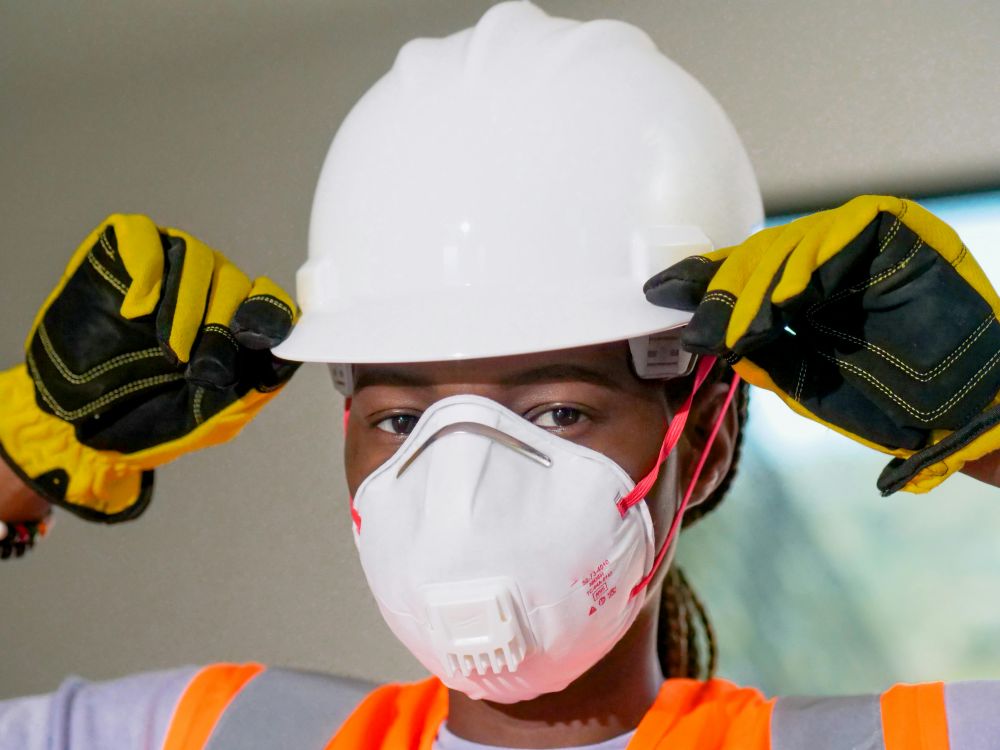
Effective ergonomic training differs significantly from traditional safety instruction focused on avoiding dramatic hazards. While hard hat protocols can be taught through simple compliance rules, ergonomic awareness requires employees to understand their own body mechanics and recognize early warning signs of developing problems. The most successful programs combine basic anatomical education with hands-on workstation assessment skills.
Interactive training sessions work better than lecture-style presentations for ergonomic concepts. Having employees practice monitor adjustment, chair setup, and proper lifting techniques during training creates muscle memory and confidence for real-world application. Many organizations find success with peer training models, where early adopters become ergonomic ambassadors who can provide ongoing guidance to colleagues.
The timing of ergonomic education matters enormously. New employee orientation provides an ideal opportunity to establish proper habits before poor patterns become entrenched. However, experienced workers often benefit more from refresher training that acknowledges their expertise while introducing new concepts or addressing specific challenges that have developed over time.
Building a Safety Culture That Supports Ergonomics
Organizational commitment to ergonomic principles must extend beyond policy statements to practical resource allocation. This means budgeting for adjustable furniture, providing time for workstation setup, and recognizing that ergonomic improvements represent investments in long-term productivity rather than unnecessary expenses. Leadership behavior sets the tone — managers who prioritize ergonomics in their own workspaces and encourage movement breaks throughout the day create permission for similar behavior across the organization.
Measurement and feedback systems help sustain ergonomic improvements over time. Regular comfort surveys, workstation assessments, and injury trend analysis provide data to guide program refinement. However, the most effective feedback loops operate at the individual level, teaching workers to recognize their own discomfort patterns and make proactive adjustments rather than waiting for formal evaluations.
Creating social norms around ergonomic behavior requires addressing the subtle cultural barriers that discourage healthy workplace habits. In environments where taking breaks or adjusting workstations might be perceived as weakness or laziness, explicit leadership messaging becomes crucial for normalizing these protective behaviors.
Challenges and Misconceptions About Ergonomic Injury Prevention
Cost concerns represent the most common barrier to ergonomic improvements, though this typically stems from overestimating equipment expenses while undervaluing the true costs of workplace injuries. A $200 adjustable monitor arm seems expensive until compared to the thousands of dollars in workers’ compensation claims, replacement hiring, and lost productivity associated with a single ergonomic injury. Many effective interventions cost little or nothing — proper workstation setup and movement habits require primarily education and behavior change rather than expensive equipment purchases.
The “one-size-fits-all” fallacy causes significant implementation problems in organizations attempting to standardize ergonomic solutions. What works perfectly for a 6’2″ employee creates problems for someone who’s 5’4″, and individual variations in flexibility, strength, and medical history mean that universal recommendations often miss the mark. Successful ergonomic programs emphasize principles and assessment skills rather than rigid specifications.
Compliance resistance often emerges when ergonomic changes disrupt established work routines or personal preferences. An employee who’s used a particular chair for five years may resist switching to a more supportive model that initially feels unfamiliar. Addressing this requires acknowledging that adaptation takes time and providing sufficient adjustment periods rather than expecting immediate acceptance of changes.
The misconception that ergonomic injuries are inevitable in certain industries creates dangerous resignation to preventable problems. While some jobs involve inherently challenging physical demands, viewing ergonomic problems as unavoidable occupational hazards prevents organizations from pursuing creative solutions. Construction workers, nurses, and manufacturing employees all face significant ergonomic risks, but innovative approaches to tool design, work organization, and recovery protocols can dramatically reduce injury rates even in demanding environments.
Perhaps the most counterproductive myth suggests that young, healthy workers don’t need to worry about ergonomic risks. In reality, poor ergonomic habits established early in careers create cumulative damage that may not manifest as pain until workers reach their thirties or forties. By then, the underlying structural changes require much more intensive intervention than simple workplace modifications could have provided years earlier.
The path forward involves recognizing that ergonomic injury prevention isn’t about creating perfect work environments — it’s about designing systems that work with human limitations rather than against them. As workplace demands continue evolving, the organizations that proactively address ergonomic risks will find themselves with healthier, more productive workforces and significantly lower injury-related costs than competitors who treat these issues as inevitable overhead.
